Budgeting: How to do a new year budget reset in one afternoon
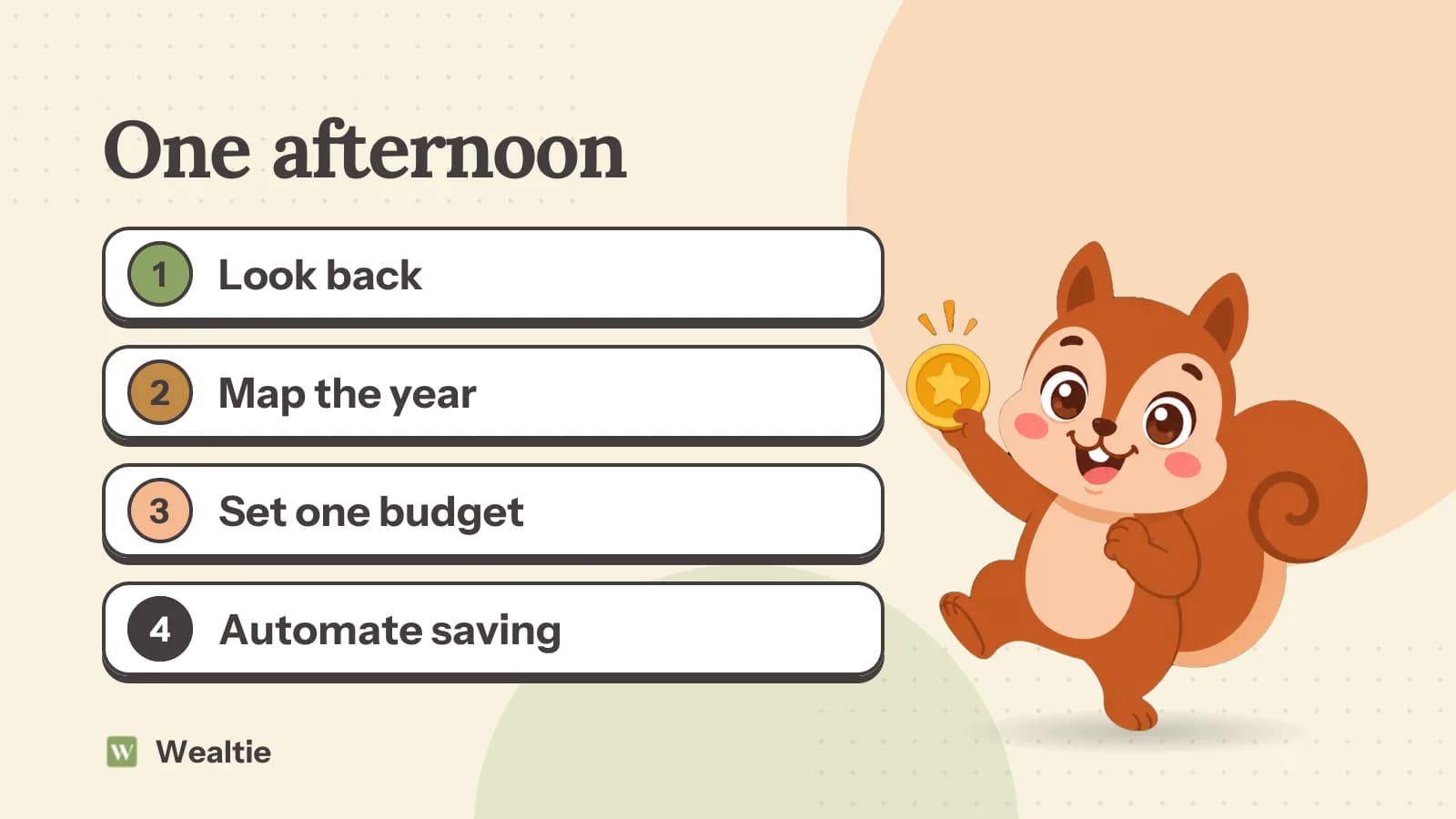
A new year budget reset takes one afternoon: add up what last year cost, list this year's big bills by month, set a monthly budget you can keep, and automate the savings. January is the easiest month to start, and often the most expensive.
 By Wealtie Team · 3 min read
Key takeaways
- Start a new year budget reset by adding up last year's spending by category, so the new budget is based on real numbers.
- List the year's annual and seasonal costs by month, so you know which months will be heavy.
- Set one monthly limit and one or two savings goals, and resist adding more.
- Automate the savings transfer for payday before the year gets busy.
What is a new year budget reset?
A short, deliberate look at your money at the start of the year: what last year cost, what this year will bring, and a plan you can keep. It's one afternoon, not a whole new system. People who try to change everything in January tend to give up by February, so the aim is a small number of changes that last.
What should you look back at first?
Last year's totals. Pull up your bank statements or your app and add up what you spent in each main category: housing, food, transport, eating out, shopping, subscriptions, holidays. You don't need every line, just the big numbers.
Two questions are worth answering:
- Which category surprised you?
- Did you save more or less than you planned?
If you didn't track last year, a rough version is fine: three months of statements, multiplied up, gives a fair picture. Those answers point to where the new budget needs to change. The year-end money review has a fuller checklist if you'd like to go deeper.
How do you map the year ahead?
Make a list of every cost that won't come monthly, and put each one against its month. Here's a worked example in round numbers that work in any currency:
| Month | Cost | Amount |
|---|---|---|
| March | Car insurance | 840 |
| May | Yearly subscriptions | 120 |
| July | Summer holiday deposit | 300 |
| September | Car service | 480 |
| December | Holidays and gifts | 600 |
| Year | 2,340 |
If you're self-employed, add the tax bill to the list, along with the month it's due. That's 195 a month if you set it aside evenly. Seeing the year laid out like this is often the most useful part of the reset, because the expensive months stop being a surprise. How to budget for annual expenses shows how to handle them in a monthly budget.
How do you set the new monthly budget?
Start from what you take home, subtract fixed costs and the monthly set-aside for those annual bills, then decide what you'll save. What's left is for everyday spending. Use last year's numbers to check it's realistic.
Pick one monthly limit. If you'd like more detail, give two or three categories their own share, like groceries and eating out. A budget with twenty categories is hard to keep up in March. How to make a budget walks through the steps.
How many goals should you set?
One or two. A full emergency fund, paying off a card, saving for a trip or a deposit. Write each one down with an amount and a date. How to set financial goals helps you choose and order them.
More goals sounds ambitious, but it splits your money into pieces too small to see progress. Finish one, then start the next.
What should you automate before January gets busy?
The savings. Set up a transfer for the day after payday, for the amount you've decided. Then set up the annual-bills pot transfer too. Once they're running, the plan works even in the weeks you don't think about money.
Then cancel what you don't use. January is a good time to go through subscriptions, since several renew around the new year. How to cut subscription costs has a quick method.
What if December went badly?
Deal with it first. If the holidays went on a card, make a plan to clear it before you start new savings goals, since card interest costs more than savings earn. How to recover from holiday spending has a worked plan.
January is often tight anyway: a long gap since the December payday, plus bills that come at the start of the year. Plan for a lean first month and don't judge the whole year by it.
How do you keep the reset going past February?
Book a short check-in at the end of each month, ten minutes, to look at the totals and adjust one thing. Most budgets don't fail because the plan was wrong. They fail because nobody looked at it again. Why budgets fail covers the common reasons.
Give yourself something to aim at. A streak of months inside budget is a simple way to see progress, and it doesn't reset because of one bad week.
How do you reset your budget in Wealtie?
Set your new monthly limit in the budget tracker and add the annual bills as yearly recurring transactions with the bill tracker. Budget Health warns you mid-month if your pace would take you over, and each month inside the limit adds to your budgeting habit streak. Last year's totals are in spending analytics.
Questions people ask
Add up last year's spending by category, list this year's big bills by month, set one monthly limit and one or two goals, and automate the savings transfer.
Yes, because you can plan the whole year, but expect January itself to be tight after the holidays. Don't judge the year by the first month.
One or two, each with an amount and a date. Finish one before starting the next.
Subscriptions you no longer use, since several renew around the new year. Check your statements for yearly charges too.
This article is general information, not financial, tax or legal advice. Your situation is your own; check the numbers that apply to you before you act on them.