Using Wealtie: How to export your data from Wealtie and what you get
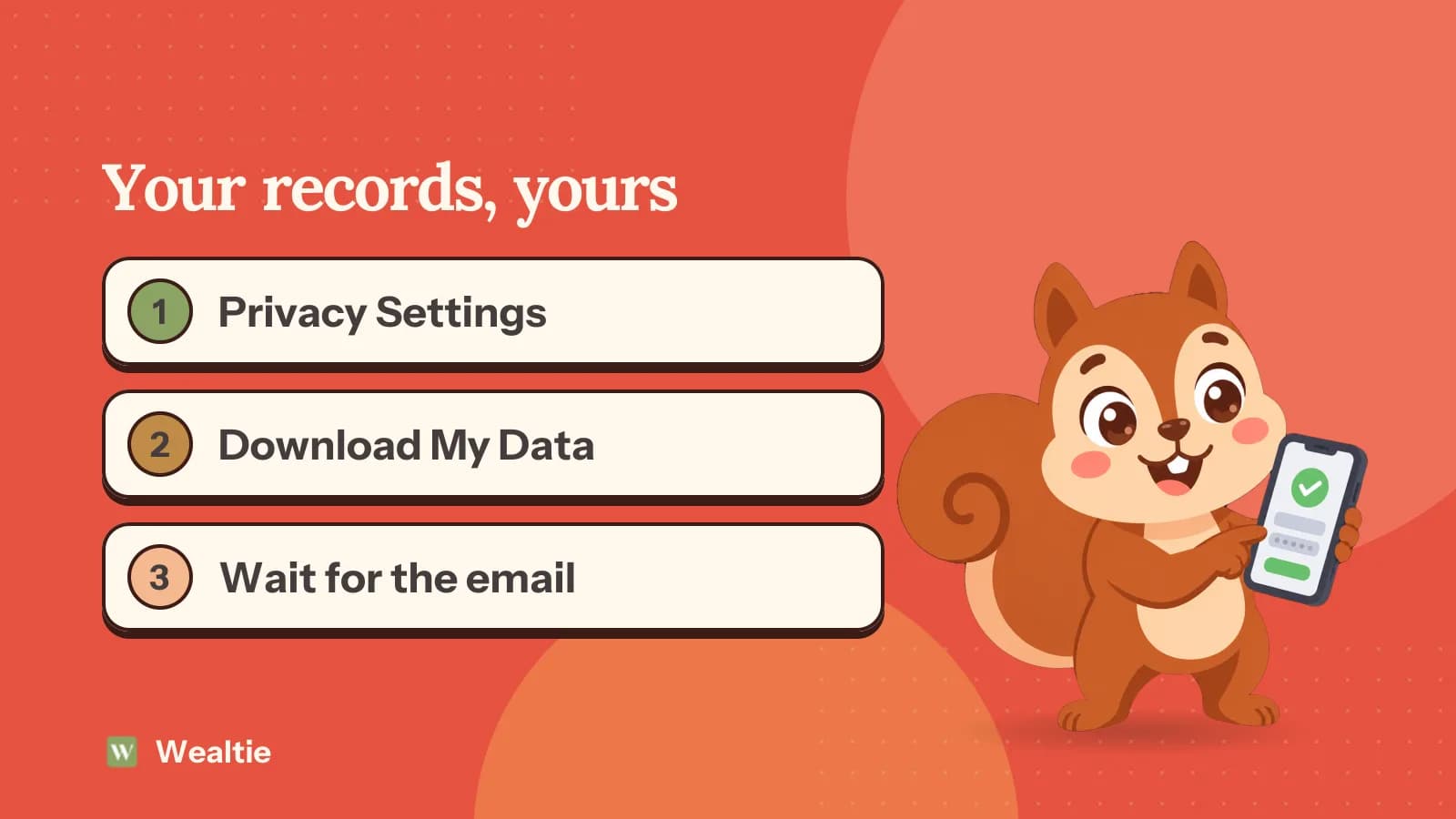
To export your data from Wealtie, go to Privacy Settings, then Data Management, then Download My Data. Your ZIP of CSV files and a plain-text summary is ready in 24 to 48 hours, on every plan.
 By Wealtie Team · 3 min read
Key takeaways
- In Wealtie, go to Privacy Settings, Data Management, Download My Data to request an export.
- The export is ready in 24 to 48 hours, and Wealtie emails you when it's available.
- You get a ZIP archive of CSV files and a plain-text summary, on every plan.
- CSV files open in Excel, Google Sheets or Numbers, where you can total spending by category or month.
How do you export your data from Wealtie?
Open the app and go to Privacy Settings, then Data Management, then Download My Data. Confirm the request. Your export will be ready in 24 to 48 hours, and Wealtie sends you an email when it's available.
While you wait, the screen shows that an export's in progress and when you requested it. If it can't be prepared, you'll see a message and can tap to try again.
Export is on every plan and isn't behind Pro.
What's in the export?
A ZIP archive containing CSV files for your financial records, plus a plain-text summary. It's a copy of what you've entered, including your accounts, transactions, categories, budget and income goals, streaks and recurring transactions.
CSV is the plainest format there is: rows and columns of text. It's not tied to Wealtie or to any particular program, and it'll still open in many years' time.
How do you open the files?
Unzip the archive, then open a CSV in Excel, Google Sheets or Numbers. On a phone, the Files app can usually unzip it, though a computer's easier for working with the data.
If the columns look wrong or the amounts appear as text, use your spreadsheet's import option in place of double-clicking the file. That lets you choose the separator and the number format, which matters if your country uses commas for decimals.
Non-English characters can also come out garbled if the spreadsheet guesses the wrong encoding. Choose UTF-8 in the import dialog and they'll display properly.
What can you do with your data in a spreadsheet?
Answer questions the app doesn't. A pivot table takes a couple of minutes to set up, and you can use one to:
- Total your spending by category for the whole year
- Compare the same month in two different years
- Find your largest single expenses
- Work out what you spent on one trip, using a date filter
- Add up everything from one account
That's useful at year end. A year-end money review goes through what to look at, and an export gives you all the raw numbers for it.
If you've come from a spreadsheet and miss having one, moving from a spreadsheet to Wealtie covers how the two can work side by side.
When is an export useful?
More often than you'd think.
- Taxes. If you're self-employed, your accountant may want a list of business spending. Filter by category and send them that.
- A backup. Keep a copy somewhere of your own, once or twice a year.
- Applying for a mortgage or rental. A clear summary of income and spending can help you prepare, though the lender will want bank statements too.
- Splitting up shared costs. A record of who paid what can help when a household changes.
Keep in mind that Wealtie's a budgeting app and it isn't accounting or tax software. The figures are what you've logged, so they're only as complete as your logging. For anything official, check them against your bank statements.
How should you store the files?
Carefully, since they're a detailed picture of your finances. A CSV file has no password on it, and anyone who opens it can read it.
Keep it in a place that's protected: an encrypted drive, or a cloud folder with two-factor sign-in. Avoid leaving copies in your downloads folder or in email attachments. If you've finished with a file you shared with someone, ask them to delete it.
Be careful about uploading the file to any website or tool you don't trust, including ones that offer to analyse your spending.
How often should you export?
Once or twice a year is enough for most people, and a date you'll remember helps. New Year's Day, or the end of the tax year, both work. If you want a monthly record for your accounts, it's better to request it shortly after the month ends, as each export takes up to 48 hours.
Wealtie keeps your records in the app, so an export is an extra copy and you don't have to delete anything afterwards.
Plan for the wait, too. If your accountant wants it on Friday, ask for it by Wednesday at the latest.
What else should you check first?
Make sure your records are complete before you export. Log anything that's missing, and correct any balance that's drifted using Update Balance. Your net worth tracker shows each account's total, and spending analytics will show you if a month looks unusually low, which often means logging slipped. Your expense categories are what the columns will show, so a quick tidy makes the file easier to use.
Questions people ask
Yes. Go to Privacy Settings, then Data Management, then Download My Data, on any plan. The export is ready in 24 to 48 hours.
A ZIP archive of CSV files for your financial records, plus a plain-text summary.
No. Export is included on every plan.
Up to 48 hours. Wealtie sends you an email when it's available.
This article is general information, not financial, tax or legal advice. Your situation is your own; check the numbers that apply to you before you act on them.