Income & freelancing: The cost of starting a YouTube channel
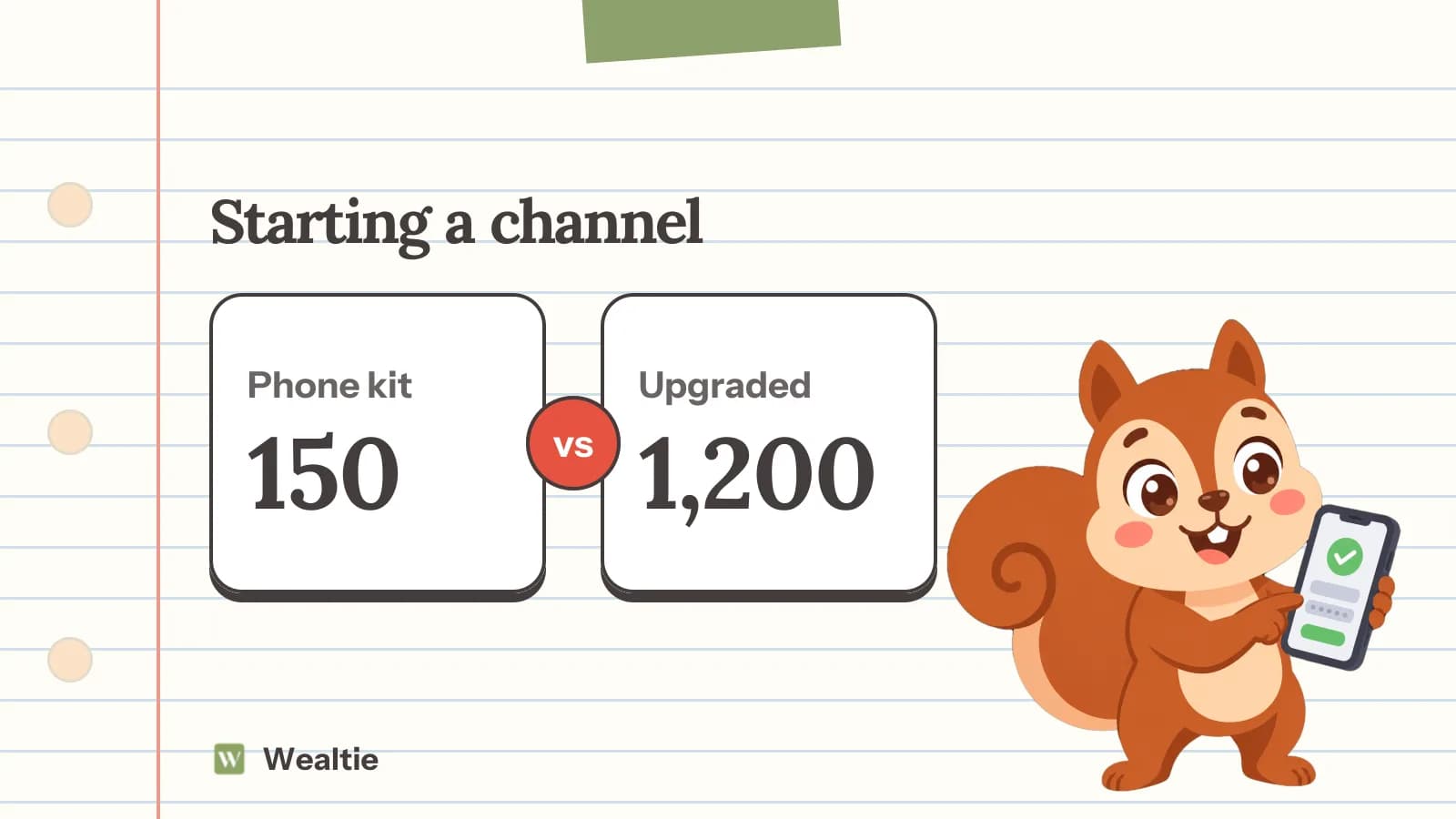
The cost of starting a YouTube channel can be very low, since a modern phone records good video and free software can edit it. In a worked example, a starter kit costs 150, while an upgraded setup costs 1,200.
 By Wealtie Team · 3 min read
Key takeaways
- The cost of starting a YouTube channel can be low with a phone and free software.
- Good sound and lighting matter more than an expensive camera.
- Upgrade only once you're posting regularly.
- Track costs and income separately if the channel earns money.
What is the cost of starting a YouTube channel?
Starting a YouTube channel is easier and cheaper than ever. Most modern phones record high-quality video, and free editing software is widely available. The cost of starting a YouTube channel depends on the kind of videos you make, whether you buy extra equipment and how much you pay for editing, music or graphics.
Here's a worked example of a starter kit, assuming you already have a phone, in round numbers that work in any currency:
| Item | Cost |
|---|---|
| Clip-on microphone | 40 |
| Phone tripod | 30 |
| Ring or soft light | 50 |
| Backdrop and props | 30 |
| Total | 150 |
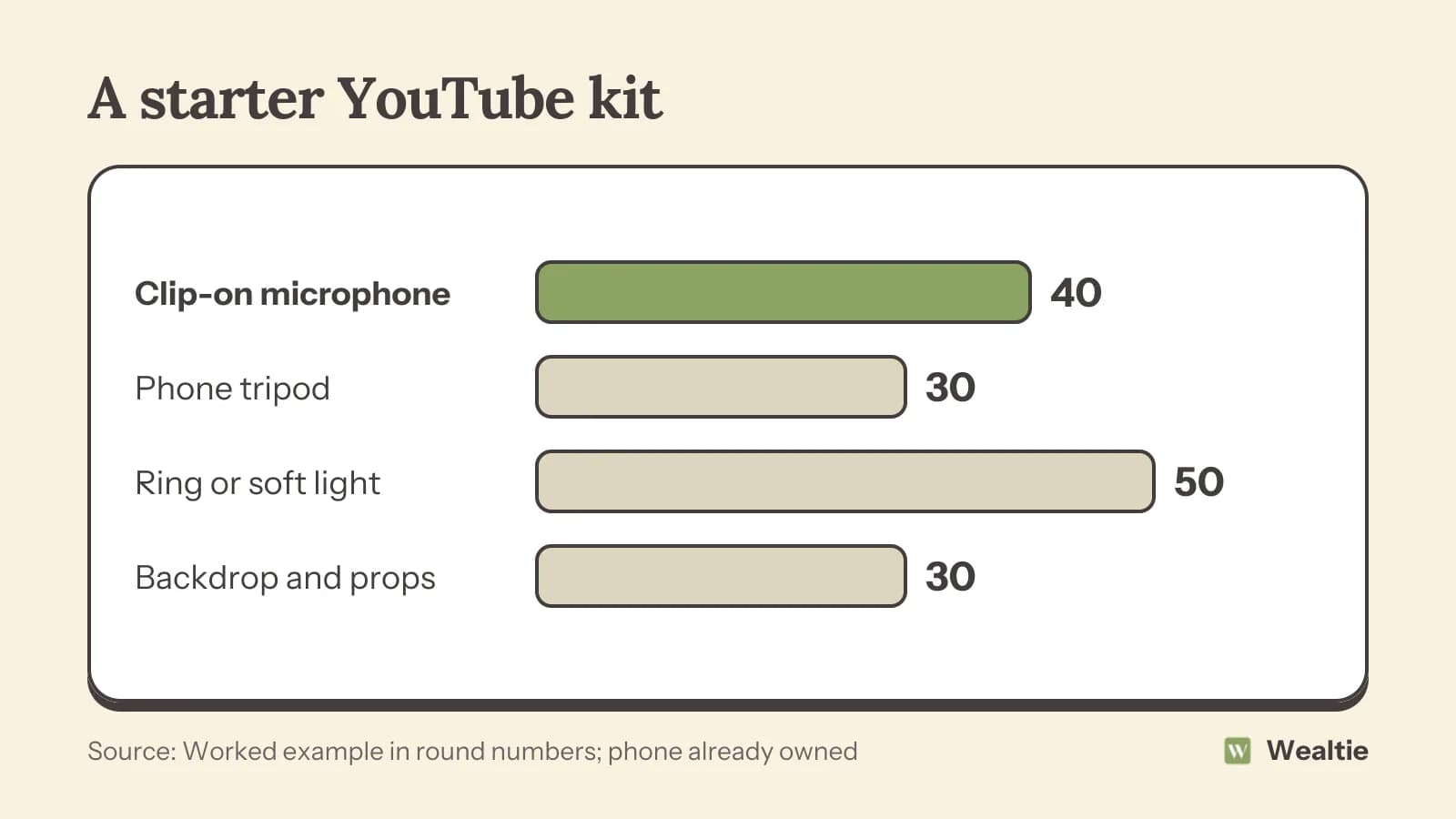
A starter kit costs about 150. An upgraded setup with a dedicated camera, lens, better microphone, lights and paid editing software might cost around 1,200. Many popular channels started with a phone and a cheap microphone.
What equipment matters most?
Sound
Viewers will forgive average video but not bad sound. A clip-on or small shotgun microphone is one of the best first purchases.
Lighting
Natural light from a window is free and often looks great. A simple light helps when filming at night or in darker rooms.
Stability
A tripod keeps shots steady and frees your hands.
Camera
A modern phone is enough for most beginners. A dedicated camera can come later.
Editing software
Free editing software covers most needs. Paid tools add features and templates.
What are the ongoing costs?
Music and assets
Free music libraries exist, but some creators pay for music, sound effects or templates.
Editing time or help
Editing takes time. Some creators pay editors as they grow.
Storage
Video files are large. Extra storage or cloud space may be needed.
Props and sets
Depending on your niche, props, products to review or travel can add up.
How do you start cheaply?
Use your phone
Film with what you have and learn the basics before spending.
Use natural light
Film facing a window during the day for free, flattering light.
Focus on content
Good ideas, clear structure and consistent posting matter more than expensive gear.
Upgrade one thing at a time
When you're posting regularly, upgrade the weakest part first, usually sound or lighting. How to save money on electronics covers buying gear for less.
Buy second-hand
Cameras, lenses and lights are often sold second-hand in good condition.
Can a YouTube channel make money?
Some channels earn from ads, sponsorships, memberships or selling products, but most take a long time to build an audience. If you start earning, you may need to declare the income. How to declare side hustle income covers the basics, and how to track side hustle income covers keeping records. Equipment and other costs may count as business expenses where you live. The self-employed expenses list covers what's often allowed.
Plan your channel before spending. Deciding what kind of videos you'll make, who they're for and how often you'll post helps you buy only what you need. A talking-head channel needs good sound and lighting, while a gaming channel needs screen recording and a decent microphone. Cooking or crafting channels may need an overhead mount. Matching equipment to your content saves money.
Consistency is one of the biggest factors in growing a channel. Posting on a regular schedule, even if videos are simple, often works better than occasional highly produced ones. Batch filming several videos in one session saves setup time and keeps your schedule going.
Watch out for gear temptation. Online communities are full of recommendations for cameras, lenses and lights, and it's easy to feel you need them before you start. Many creators say their best early videos were made with simple setups, and that improving storytelling mattered more than upgrading equipment.
If you work with others, like a friend who films or edits, agree early how costs and any income will be shared.
Finally, keep receipts for everything. If the channel starts earning, you'll want records for tax, and you may be able to claim some costs as expenses depending on where you live.
It can help to set a simple rule, like buying new equipment only after you've posted a set number of videos. That keeps spending tied to commitment, so you only invest more once you know you enjoy making videos. Many creators find that by the time they reach that goal, they have a much clearer idea of which upgrade would make the biggest difference to their channel.
How can Wealtie help you track channel costs?
Log equipment, software and other costs in their own expense category, and log any earnings as income. Setting a budget for gear helps you avoid spending more than the channel earns while it grows.
Questions people ask
In a worked example, a starter kit for a phone cost about 150, while an upgraded camera setup cost about 1,200.
Yes. Modern phones record good video. A cheap microphone and good lighting make the biggest difference.
A microphone is usually the best first purchase, since viewers notice bad sound more than average video.
If you earn money, you may need to declare it, depending on where you live and how much you earn.
This article is general information, not financial, tax or legal advice. Your situation is your own; check the numbers that apply to you before you act on them.