Saving: Is paying for cloud storage worth it?
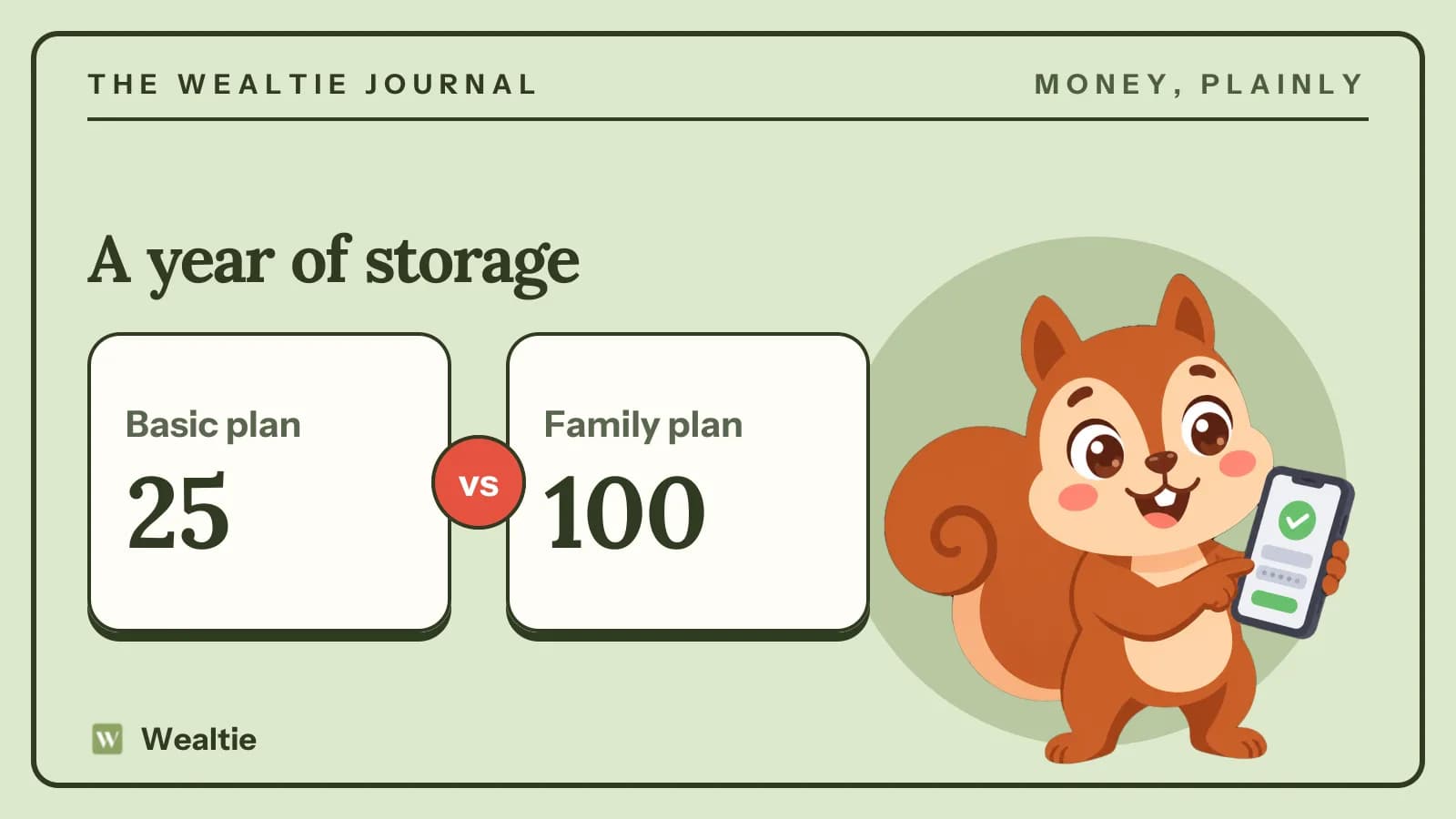
Is paying for cloud storage worth it? It is if you'd lose irreplaceable photos without it, and in a worked example, a family plan costs 100 a year, while clearing out files keeps one person on a 25 plan.
 By Wealtie Team · 3 min read
Key takeaways
- Cloud storage is worth it for protecting photos and files you can't replace.
- Many people pay for overlapping plans across several services.
- Clearing duplicates and large videos can keep you on a cheaper plan.
- An external drive is a cheap backup, but it can fail or be lost too.
Is cloud storage worth paying for?
Cloud storage keeps copies of your photos, videos and documents on a company's servers, so they're safe if your phone is lost, stolen or broken. For most people, the most valuable thing on their phone is their photos, and losing years of family pictures is far worse than paying a small yearly fee. That's the strongest case for cloud storage.
The catch is that cloud storage is a subscription, and subscriptions are easy to forget. Many people pay for more space than they need, or pay for storage on two or three services at once without realising. Here's a worked example of yearly costs, in round numbers that work in any currency:
| Option | Yearly cost |
|---|---|
| Free tier only | 0 |
| Basic plan | 25 |
| External drive, one-off | 60 |
| Family plan | 100 |
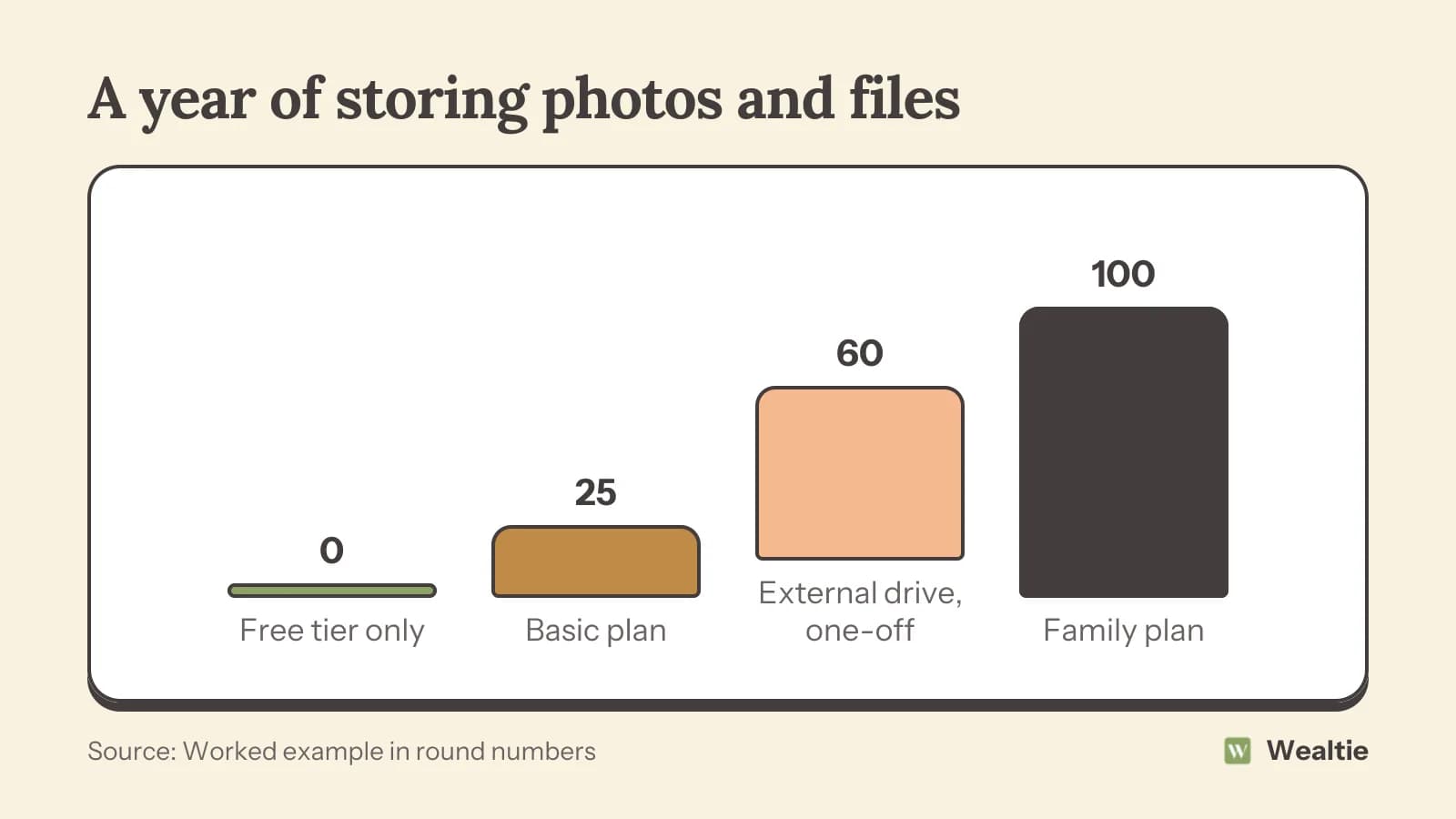
A basic plan at 25 a year covers many people's photos. A family plan at 100 shares a larger amount of space across several people, which can be cheaper than separate plans. An external drive costs around 60 once and can last a few years, though it needs regular backups and can fail or be lost.
When is cloud storage worth it?
Your photos and files can't be replaced
Family photos, children's videos, important documents and creative work are worth protecting. Paying a small amount to keep them safe is sensible.
You'd forget to back up manually
Cloud storage usually backs up automatically. External drives only work if you remember to use them.
You use several devices
Cloud storage syncs files across your phone, tablet and computer, which saves time.
You share with family
A shared family plan can cover several people for less than separate plans, and makes sharing albums easy.
How do you avoid paying more than you need?
Check for overlapping plans
Many people pay for storage with their phone maker, their email provider and a separate service. Paying 25 and 30 to two services costs 55 when one plan might do. How to cut subscription costs covers finding overlapping subscriptions.
Clear out duplicates and large videos
Duplicate photos, screenshots, old downloads and long videos take up most of the space. Clearing them can keep you on a smaller, cheaper plan.
Choose yearly billing if you'll keep it
Paying yearly is often cheaper than monthly. Annual or monthly subscription covers when that makes sense.
Use what's included
Some services include storage with other subscriptions you already pay for, like office software or a phone plan. Check before buying more.
Downgrade when you can
If you've cleared space, move to a smaller plan. Many people stay on a larger plan for years without needing it.
Is an external drive a good alternative?
An external hard drive is a cheap way to back up files, and there's no monthly fee. But it only protects you if you back up regularly, and it can be lost, stolen or damaged in the same fire or flood as your computer. Many people use both: cloud storage for automatic backups of photos, and an external drive as an extra copy of everything important. The more copies you have in different places, the safer your files are.
What about important documents?
Scanned copies of passports, insurance policies, tax records and other documents are worth storing safely. Use a service with strong security, turn on two-step login and keep originals in a safe place at home. Keeping documents organised also makes life admin much easier when you need something quickly.
How do you decide what to keep paying for?
Once a year, look at all your storage subscriptions together. Check how much space you use, whether you still need each one and whether a family plan would be cheaper. Many people find they can cut one service completely. How to save money on electronics covers choosing devices with enough built-in storage, which can reduce how much cloud space you need.
Think about what would happen if your phone was lost tomorrow. If the answer is that you'd lose years of photos and messages, setting up a backup is worth doing this week, whether that's a paid plan, a free tier or an external drive. Many people only think about backups after losing something, when it's too late. A small, steady cost is far better than an irreplaceable loss.
It's also worth checking who in your family pays for what. Partners and parents sometimes each pay for separate plans when one shared plan would cover everyone for less. A quick conversation can save money every year.
How can Wealtie help you track subscriptions?
Add each storage plan as a recurring transaction in Wealtie, so you see what you pay every month or year. Logging them in a subscriptions expense category makes overlapping plans easy to spot.
Questions people ask
It's worth it for protecting photos and files you can't replace, especially if you'd forget to back up manually.
In a worked example, a basic plan cost about 25 a year and a family plan about 100 a year.
An external drive is cheap with no fees, but it needs regular backups and can be lost or damaged. Many people use both.
Cancel overlapping plans, delete duplicates and large videos, use storage included with other subscriptions and downgrade when you can.
This article is general information, not financial, tax or legal advice. Your situation is your own; check the numbers that apply to you before you act on them.