Budgeting: In-game purchases: how to stop kids overspending
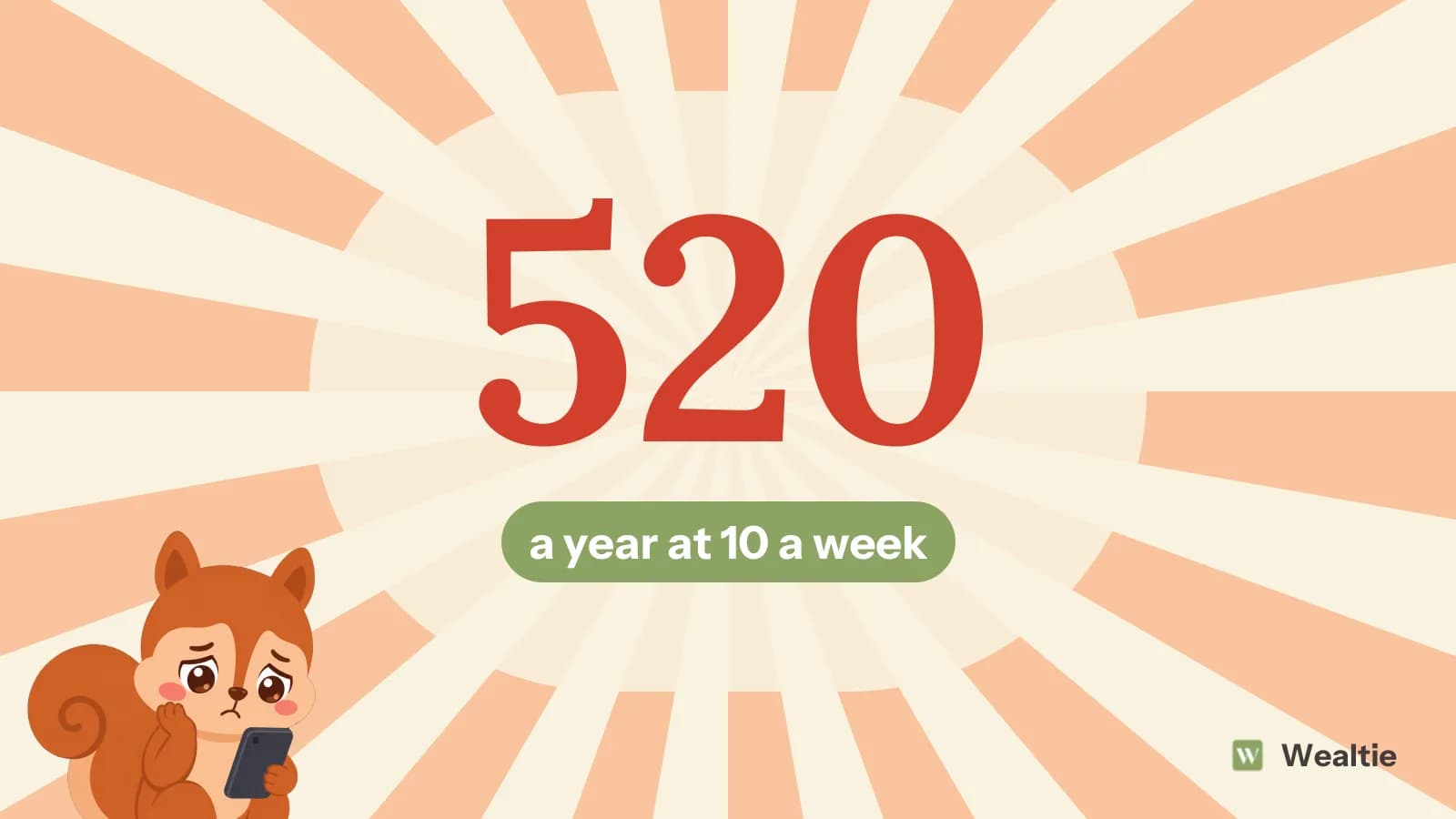
In-game purchases can add up quickly for children, since small spends on skins, passes and coins feel like play money. In a worked example, a child spending 10 a week on a game costs 520 a year.
 By Wealtie Team · 3 min read
Key takeaways
- In-game purchases can add up fast, because virtual coins hide real prices.
- Parental controls and spending limits stop surprise bills.
- Linking game spending to pocket money teaches budgeting.
- Talk openly about how games encourage spending.
What are in-game purchases?
Many popular games are free to download but make money from in-game purchases, like skins, outfits, battle passes, extra lives, coins and loot boxes. For children, these purchases can feel like part of the game rather than real spending, especially when games use their own currencies instead of showing real prices. That makes in-game purchases one of the easiest ways for children to overspend, sometimes without parents noticing until the bill arrives.
Here's a worked example, in round numbers that work in any currency:
| Spending pattern | Yearly cost |
|---|---|
| Monthly limit of 10 | 120 |
| 10 a week | 520 |
| A few big impulse buys | 300 |
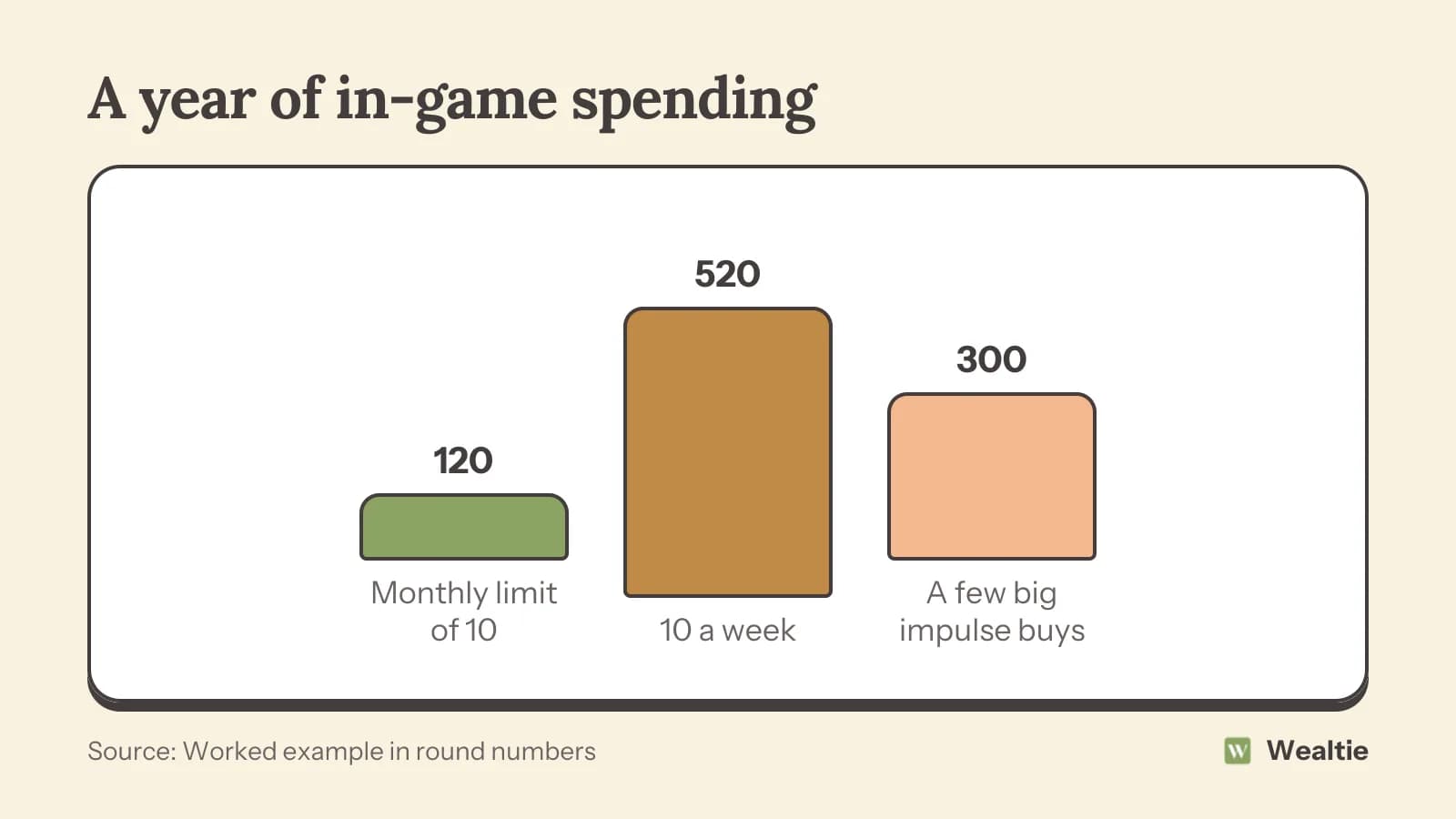
Spending 10 a week on a game costs 520 a year. A monthly limit of 10 keeps it to 120. A few large impulse buys, like a big coin bundle, can add hundreds on their own.
Why do kids overspend in games?
Virtual currencies hide the price
Paying in coins or gems makes it hard to see how much real money something costs.
Limited-time offers
Countdown timers and rare items create pressure to buy now.
Social pressure
Children may feel left out if their friends have new skins or passes.
Saved payment details
If a card is saved on a console, tablet or phone, buying can take a single tap.
Loot boxes
Random rewards can encourage repeated buying. Rules on loot boxes vary between countries.
How do you stop surprise bills?
Use parental controls
Most consoles, phones and app stores let you require a password or approval for purchases, set spending limits or turn purchases off completely.
Remove saved cards
Don't leave a card saved on children's devices. Use gift cards or a prepaid balance instead.
Set a monthly limit
Agree a monthly amount for games, perhaps from pocket money, and top up a game wallet with that amount only.
Check purchase history
Look at the account's purchase history regularly, so problems are spotted early.
How do you teach kids about game spending?
Link it to pocket money
Letting children use their own pocket money for games helps them see the real cost and make choices. Pocket money by age covers setting amounts.
Translate coins into real money
Work out together what a bundle of coins costs in real money and what else it could buy.
Talk about how games encourage spending
Explaining timers, rare items and loot boxes helps children recognise the tactics. How to talk to kids about money has ideas for these conversations.
Encourage saving for something bigger
Saving for a new game rather than lots of small purchases builds patience and planning.
What about teenagers?
Teenagers often have more freedom online and their own bank cards. Agreeing a budget for games and subscriptions, and helping them track it, builds good habits. How to budget as a teenager covers money skills for teens, and the video games budget covers gaming costs more generally.
What if a child spends without permission?
Contact the platform or app store quickly. Some may refund accidental purchases by children, especially if reported soon. Then set up controls to prevent it happening again.
Agreeing family rules before a new game is installed makes things much easier. Talk about whether in-game purchases are allowed, how much can be spent each month and what needs a parent's approval. Writing the rules down, or putting them on the fridge, avoids arguments later. Children are often more willing to stick to rules they helped create.
Check the game before your child plays it. Some games are built around frequent purchases, while others sell everything in one price. Reading reviews from other parents, checking age ratings and looking at what the game sells inside can help you choose games that don't push spending as hard.
It's also worth thinking about subscriptions. Some games and platforms offer monthly passes or memberships, which renew automatically. A subscription a child no longer uses can quietly cost money every month, so check them regularly.
When children make a purchase they regret, it can be a useful lesson rather than a disaster. Talking about what they bought, whether it was worth it and what they'd do differently helps them make better choices next time.
Finally, set a good example. Children notice how adults spend on apps, games and subscriptions, and seeing you think before buying helps them learn to do the same.
How can Wealtie help families track game spending?
Log game purchases and top-ups in their own expense category and set a monthly budget for gaming. Older children can track their own spending too, which helps them see where their pocket money goes.
Questions people ask
It varies widely. In a worked example, spending 10 a week on a game cost 520 a year.
Use parental controls to require approval or set limits, remove saved cards and use gift cards or a prepaid balance.
It can be a good way to teach budgeting, since children see the real cost and make choices about what to buy.
Contact the platform quickly. Some may refund accidental purchases by children, especially if reported soon.
This article is general information, not financial, tax or legal advice. Your situation is your own; check the numbers that apply to you before you act on them.