Saving: How often should you replace your phone and laptop?
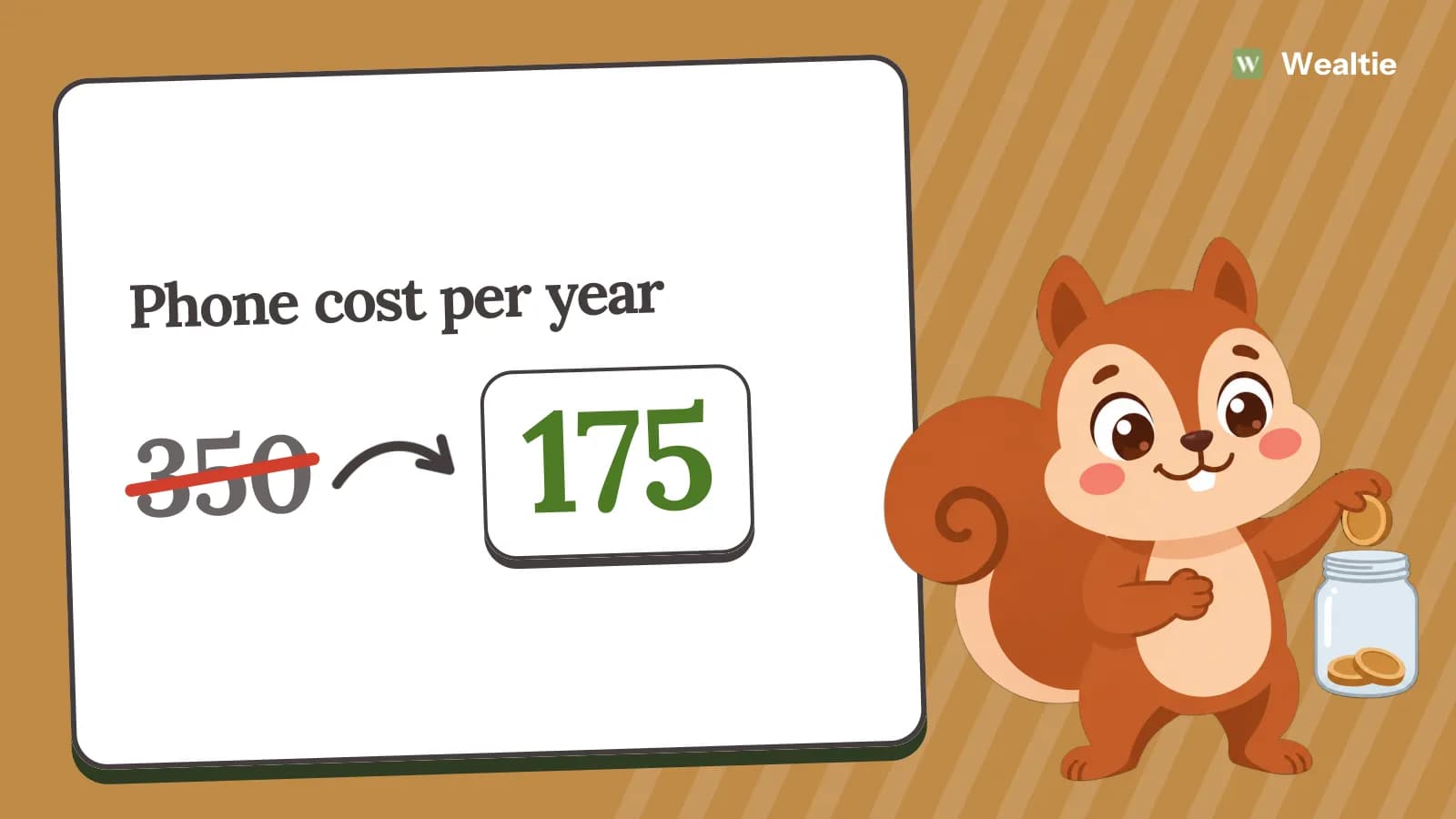
How often to replace your phone and laptop comes down to whether they still do what you need, not how new they are. In a worked example, keeping a 700 phone for four years instead of two cuts its cost from 350 a year to 175.
 By Wealtie Team · 3 min read
Key takeaways
- How often to replace your phone depends on whether it still does what you need.
- In a worked example, keeping a 700 phone for four years instead of two halves its yearly cost.
- A new battery or a clean-up can extend a device's life cheaply.
- Replace devices when they stop getting security updates or can't run what you need.
How often to replace your phone and laptop
When they no longer do what you need, not when a new model comes out. Phones and laptops are expensive, and replacing them often is one of the biggest technology costs. Adverts and contract upgrades encourage frequent replacing, but many devices work well for years beyond that. Keeping them longer is one of the easiest ways to save. It also means fewer devices end up as waste.
How much does keeping devices longer save?
Here's a worked example of a 700 phone, in round numbers that work in any currency:
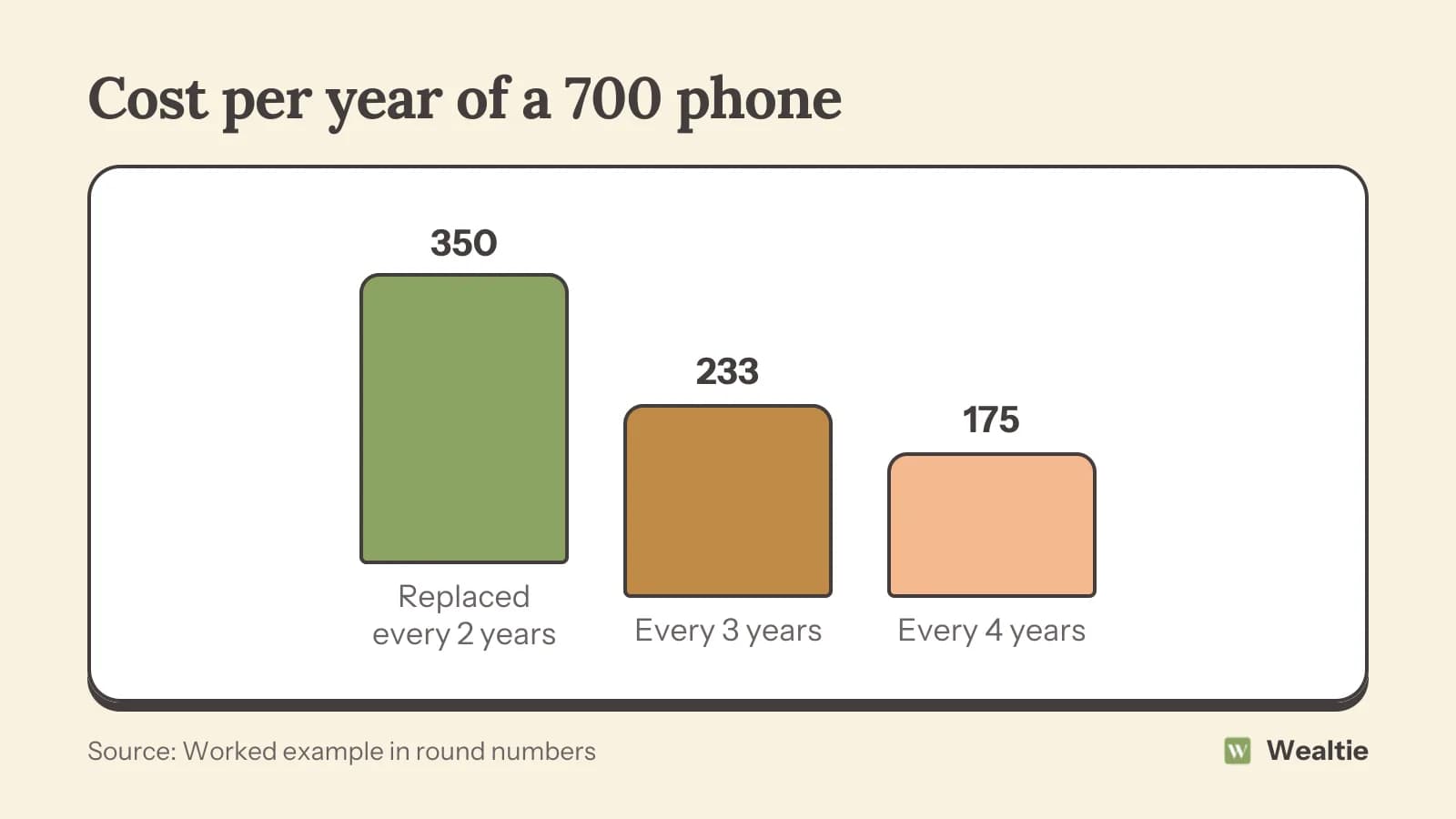
Replaced every two years, the phone costs 350 a year. Kept for three years, about 233. Kept for four years, 175. The longer you keep a device, the lower its cost per year. Cost per use explains this way of thinking. Laptops follow the same pattern, often with an even longer useful life.
What are the signs it's time to replace?
Consider replacing when:
- It no longer gets security updates, which can make it unsafe to use
- It can't run apps or software you need, for work or study
- Repairs would cost close to the price of a replacement
- It's too slow to use comfortably, even after a clean-up
- It's physically failing, like a broken screen or failing hardware that isn't worth fixing
If none of these apply, the device probably has more life in it. Wanting a new feature isn't the same as needing a new device, and waiting a year often brings the price down. Repair or replace helps you decide when something breaks.
How do you make devices last longer?
Replace the battery
Batteries wear out before most other parts. Many repair shops replace them quickly, and some manufacturers offer battery services at a set price. A new battery can make an old phone or laptop feel almost new, for a fraction of the cost of a replacement.
Clear out storage
Deleting unused apps, old files and photos you've backed up can speed up a sluggish device. For laptops, adding memory or a faster storage drive can give years more use for a modest cost.
Protect it
Cases, screen protectors and keeping devices away from heat and water prevent the most common damage.
Keep software updated
Updates fix bugs and security problems, and sometimes improve performance.
Avoid upgrading out of habit
Many people replace devices because it feels like time, or because friends have new ones. Writing down what you'd gain from a new device, and comparing it with the cost, often shows the old one is still fine. Waiting a few months can also bring a lower price.
Should you upgrade on contract?
Phone contracts often offer an upgrade every two years, but upgrading means paying for a new phone again. If your phone still works, switching to a SIM-only plan when the contract ends usually saves a lot. The money saved can go towards the next phone, when you need it. Buy a phone outright or on contract covers the options.
What do you do with old devices?
Sell, trade in, pass them on or recycle them. Selling or trading in lowers the cost of your next device. Older devices can also be useful as a spare, a child's first device or a dedicated music or reading device. Always wipe your data before passing a device on. How to save money on electronics covers trading in.
How do you save for the next device?
Set aside a little each month, so a replacement doesn't arrive as a big unexpected cost. If you expect to replace a 700 phone in four years, saving about 15 a month covers it. A sinking fund works well for this, and it means you can choose the right time to buy, like during a sale, rather than when you're forced to.
Consider refurbished
When you do replace, a refurbished model can cost much less than new and work just as well, especially if you'll keep it for several years.
A simple rule helps: replace a device when it no longer does what you need, not when a new model comes out. Keeping a list of what you'd want from a new phone or laptop makes it easier to tell a real need from an itch to upgrade.
How do you track tech costs in Wealtie?
Add a savings account for your next device and move money into it each month as a transfer, which isn't counted as spending. Log device purchases and repairs in your expense categories, so you can see the true yearly cost of your technology. A limit in the budget tracker helps you resist an upgrade you don't need.
Questions people ask
When it no longer does what you need, stops getting security updates or would cost too much to repair, not on a fixed schedule.
In a worked example, keeping a 700 phone for four years instead of two halves its yearly cost to 175.
Replace the battery, clear storage, use a case and screen protector and keep software updated.
Set aside a little each month in a separate pot, so the replacement is ready when you need it.
This article is general information, not financial, tax or legal advice. Your situation is your own; check the numbers that apply to you before you act on them.