Saving: How to automate your savings so they happen without willpower
To automate your savings, set up a transfer for the day after payday into a separate account, then raise it every time your pay goes up. Saving 150 a month this way is 1,800 a year, with no decision to make each month.
 By Wealtie Team · 3 min read
Key takeaways
- Automate your savings with a transfer for the day after payday, so the money moves before spending starts.
- Saving 150 a month automatically adds up to 1,800 a year.
- Use separate pots for separate goals, so each one has its own balance and purpose.
- Raise the transfer after each pay rise, by at least half the increase.
How do you automate your savings?
Set up a standing order or automatic transfer from your everyday account to a savings account, dated for the day after payday. Choose an amount you won't need to cancel. That's it. From then on, saving happens whether or not you remember, and you only spend what's left.
Why does automating work?
Because it takes the monthly decision away. If you plan to save "whatever's left", the month usually finds a use for it. A transfer that leaves on payday makes the choice once, when you're calm and the money's all there. It also removes the temptation to skip a month because something nice came up.
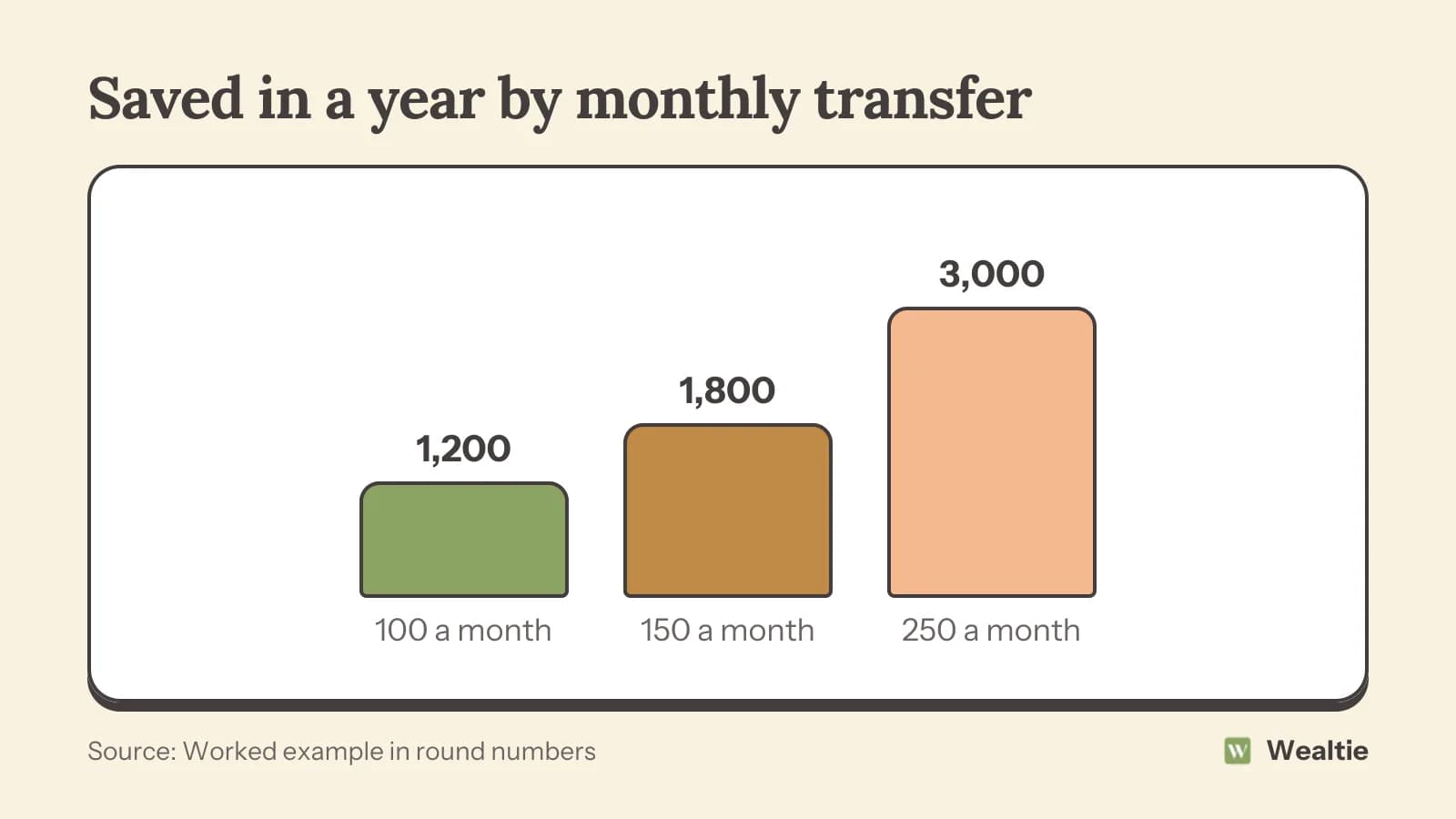
Here's what different amounts add up to in a year, in round numbers that work in any currency:
| Saved each month | After one year |
|---|---|
| 100 | 1,200 |
| 150 | 1,800 |
| 250 | 3,000 |
How much should you automate?
An amount you'll keep. Look at your last three months and find what's left in a typical month, then set the transfer a little below that. If your pay arrives on different days, set the transfer for a day or two after the latest likely payday. You can always move extra by hand in a good month. Starting too high and cancelling in March undoes the habit.
If you're not sure, start with something small, like 50, for two months. If you didn't miss it, raise it. How much of your income should you save gives a sense of what people manage.
Should you use one savings account or several?
Several, if you've got more than one goal. A separate pot for each one, like an emergency fund, holidays and a car, means each has its own balance. You'll see progress on each, and you won't accidentally spend the emergency fund on a holiday.
Name each pot after its goal and date, like "Car, March 2028", which is more motivating than "Savings 2". Many banks let you create named pots inside one savings account, which does the same job. Set up a separate automatic transfer for each, or one transfer that you split.
Order matters if money's limited: an emergency fund first, then any high-interest debt, then other goals. How to build an emergency fund covers the first one.
How do you increase it over time?
Tie increases to pay rises. When your pay goes up, raise the transfer by at least half the increase before you've got used to the higher amount. You still feel the raise, and your savings grow faster.
Another way is a small step-up every six months, like 25. 150 becomes 175, then 200 a year later. Small steps are easy to absorb. Put a reminder in your calendar so they happen.
What about irregular income?
Automate a share instead of a fixed amount, or set a small fixed transfer and add more by hand when a good month comes in. If you're paid by clients at different times, move a set share of each payment the day it arrives. The guide on how to budget on irregular income has the details.
What if you need the money?
That's what an emergency fund is for, so use it. Then let the automatic transfer refill it. If money gets tight for a few months, lower the transfer instead of cancelling it. Even a small amount keeps the habit going, and it's easier to raise later than to restart from nothing.
Avoid dipping into savings for things that aren't emergencies. If you keep doing that, the transfer might be too big, or the everyday budget too small.
What else can you automate?
Bill payments, so they're never late. A transfer to a separate bills account, so your everyday balance shows only what's free to spend. Extra debt payments, if you're paying a card down. Pay yourself first puts all of these in one order.
Some banks offer round-ups, which move small amounts every time you spend. They're a nice extra, but they're usually small, so they work best alongside a regular transfer instead of in place of one.
How do you track automated savings in Wealtie?
Add each savings pot as its own account, and log the payday move as a transfer, which isn't counted as spending. Your net worth tracker shows every pot growing in one total. The budget tracker stays focused on spending, so saving more doesn't make your budget look overspent. Wealtie records your accounts; the transfer itself is set up at your bank.
Questions people ask
Set up an automatic transfer or standing order from your everyday account to a savings account for the day after payday. Choose an amount you won't need to cancel.
An amount a little below what's typically left at the end of the month. Start small if you're unsure and raise it after a couple of months.
Yes, if you have more than one goal. Separate pots show progress on each and stop one goal eating into another.
Lower the transfer for that month instead of cancelling it. Keeping the habit is easier than restarting it.
This article is general information, not financial, tax or legal advice. Your situation is your own; check the numbers that apply to you before you act on them.