Multi-currency & travel: Multi-currency budgeting: how to track spending in two currencies
Multi-currency budgeting works when each account stays in its own currency, every purchase is recorded at what left that account, and only the totals are converted into one home currency, at the day's rate. Convert any earlier and your records stop matching your statements.
 By Wealtie Team · 4 min read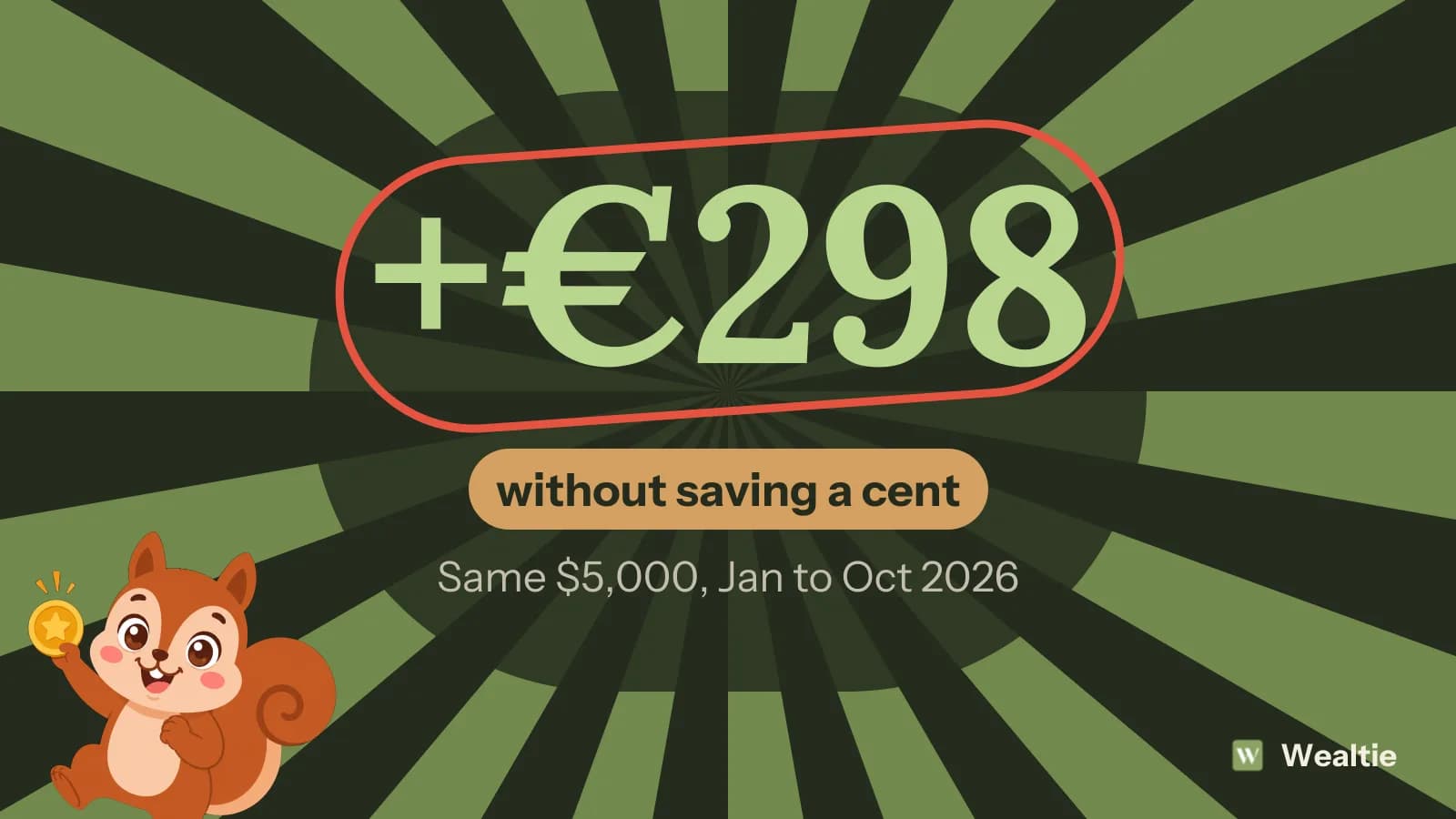
Key takeaways
- Budget in the currency most of your income is paid in, and keep every other account in the currency it's held in.
- Record each purchase at the amount that left the account, in that account's currency; that figure already includes the card's conversion charge.
- Convert only totals, at a published daily rate such as the ECB's euro reference rates.
- A balance held in another currency changes value every day: $5,000 was worth €4,176 on 28 January 2026 and €4,473 on 7 October 2026 at ECB reference rates.
- Exchange-rate movements aren't income or spending, so keep them out of the budget.
Which currency should you use for multi-currency budgeting?
Budget in the currency most of your income arrives in. That's the money the month runs on, so the limit, the savings target and the end-of-month check all make sense in it without a conversion.
Everything else stays in its own currency. A dollar account stays in dollars, a pound account in pounds. You only bring them into the home currency when you want one total: what you're worth today, or what you spent this month across all of them.
Someone paid in euros with a US freelance client and a dollar account for it would budget in euros and see the dollar account as dollars, with its euro value alongside.
How do you record a purchase in another currency?
Record what left the account, in the account's currency. If you pay $60 for dinner with a euro card, the expense is the euro amount your bank took, not $60 run through a rate you looked up.
That euro amount already includes the card's conversion charge, which is the part people lose track of. On 16 October 2026 the ECB reference rate was 1.1253 dollars to the euro, so $60 was €53.32. Say your bank's app shows €54.90: the €1.58 difference, about 3%, is what paying in dollars cost on that card.
In the EU, card providers must express their currency conversion charges as a percentage mark-up over the ECB's latest euro reference rates, so you can compare cards before you travel. For a payment in another EU currency, such as zloty or kronor, they must also send you an electronic message with that mark-up once the payment goes through. For dollars and other currencies, the charged amount shows in your banking app. Either way, that's the figure to copy into your records. What cards charge abroad is covered in more detail in how to budget for a trip abroad.
Which exchange rate should you use for the total?
Use one published daily rate for every conversion, and the rate for the day you're totalling. Which one matters less than using the same one every time.
The European Central Bank publishes euro reference rates for about 30 currencies, usually around 16:00 CET on every working day. They're set from a daily concertation between central banks across Europe. The ECB says they're "published for information purposes only", and that "using the rates for transaction purposes is strongly discouraged", which is what you want for a total: a neutral reference, not a price anyone traded at.
In the US, the Federal Reserve's H.10 release lists daily rates against the dollar and is published weekly.
Don't use the rate your card gave you for the total. That rate includes a mark-up, and using it would make every balance in that currency look smaller than it is.
Why does your total change when you haven't spent anything?
Because a balance held in another currency is worth a different amount of your home currency every day. Nothing was spent or earned; the rate moved.
Take $5,000 in a dollar account, counted in euros at ECB reference rates in 2026:
| Date (2026) | Dollars per euro | $5,000 in euros |
|---|---|---|
| 28 January | 1.1974 | €4,176 |
| 7 October | 1.1177 | €4,473 |
| 16 October | 1.1253 | €4,443 |
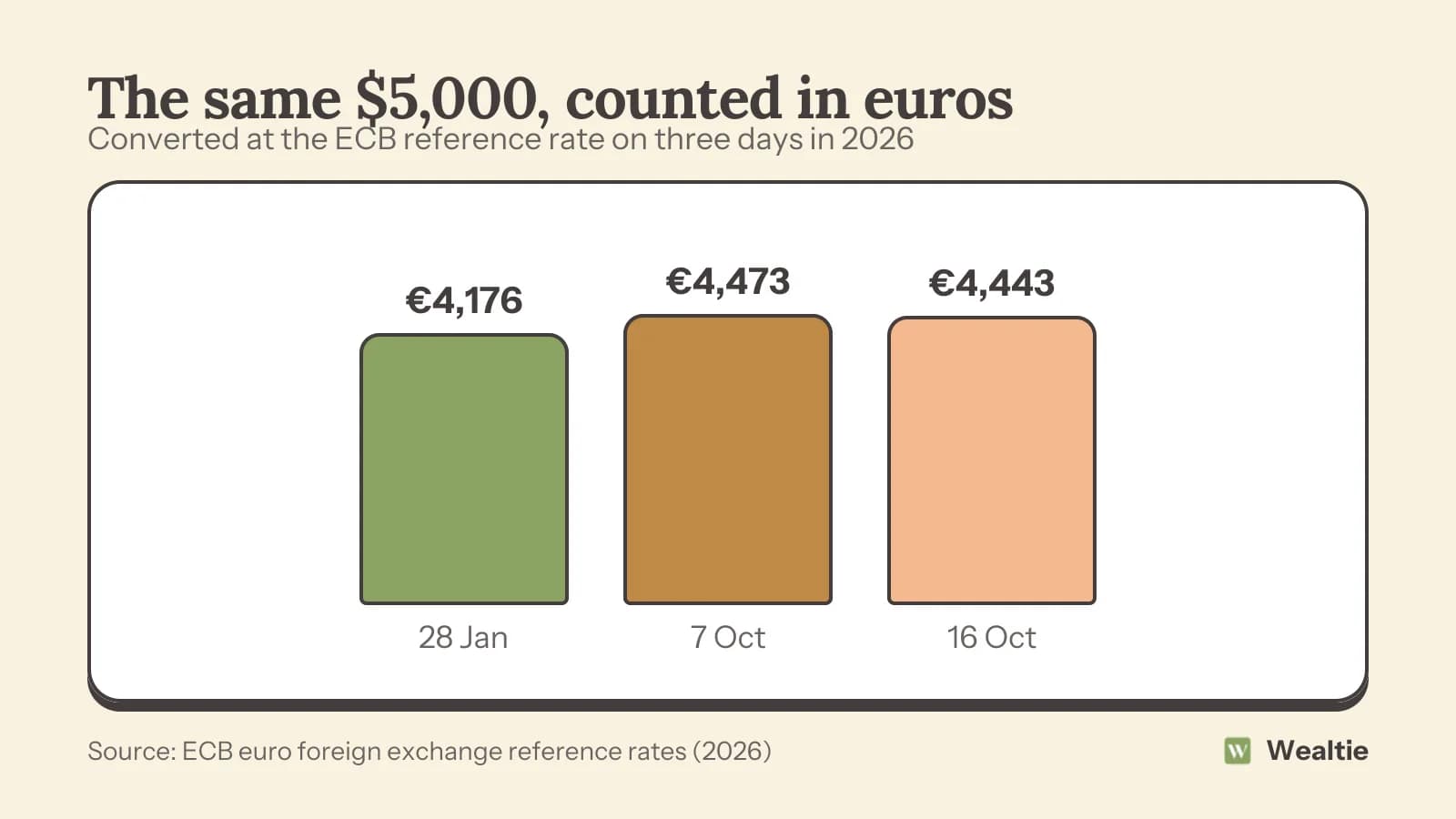
Between 28 January and 7 October the same dollars gained €298 in euro terms, about 7%, without a cent being saved. Nine days later €30 of it had gone again.
That movement belongs in your net worth and nowhere else. It isn't income and it isn't a saving, so don't count it toward a savings goal or let it make a month look better than it was. Budgets and spending totals should only move when money comes in or goes out.
How to set up a multi-currency budget spreadsheet
Give every row the account's currency and a rate column, and convert in the last column only. A row is one transaction in the currency it hit the account in.
| Date | Account | Currency | Amount | Dollars per euro | In euros |
|---|---|---|---|---|---|
| 16 Oct | Euro card | EUR | 54.90 | 1 | 54.90 |
| 16 Oct | Dollar account | USD | 120.00 | 1.1253 | 106.64 |
The last column is the amount divided by the rate, because the ECB quotes how many units of each currency one euro buys. Rows in the home currency get a rate of 1. Paste the day's rate in when you add the row and don't change it afterwards; the month's total then stays the same however the rate moves later.
The weak point is upkeep. Someone has to look up a rate for every foreign row, and a missed one throws the month's total out without any sign that it's wrong.
How Wealtie handles two currencies
Wealtie keeps each account in its own currency and converts totals into a display currency you pick, at each day's rate. It supports 68 currencies, on every plan.
You can log a purchase in the currency it was priced in. Wealtie keeps that figure as you typed it and moves the account by the converted amount, at the rate for the day of the purchase. If you'd rather have the card's real charge on record, log the amount from your banking app in the account's own currency instead. Each conversion uses the rate for the transaction's own date and isn't redone later, so last month's total doesn't drift when the rate does.
Transfers between your accounts aren't spending, so moving money from the euro account to the dollar account doesn't touch the budget. More on how it works is on the multi-currency budget app page, and the accounts and net worth page covers the total across them.
Questions people ask
Use one published daily rate, such as the ECB's euro reference rates, and use it for every conversion. Record purchases at the amount your bank took, and use the reference rate only to convert totals.
No, record each expense in the currency of the account it came out of, at the amount that left it. Convert only when you add up totals, so your records keep matching your statements.
No, a balance gaining value because the rate moved isn't income or saving. It changes your net worth, but it shouldn't count toward a budget or a savings goal.
Budget in the currency that covers most of your regular spending, usually the one your rent and bills are paid in. Keep the other income in its own account and convert it when it moves across.
Yes, Wealtie handles 68 currencies on its free plan. Each account keeps its own currency, and totals are converted into a display currency you choose at each day's rate.
Sources
- Euro foreign exchange reference rates · European Central Bank · checked 17 October 2026
- Euro foreign exchange reference rates, historical series (eurofxref-hist) · European Central Bank · checked 17 October 2026
- Regulation (EU) 2019/518 amending Regulation (EC) No 924/2009 as regards certain charges on cross-border payments and currency conversion charges · EUR-Lex, European Union · checked 17 October 2026
- Foreign Exchange Rates, H.10 Weekly · Board of Governors of the Federal Reserve System · checked 17 October 2026
- Multi-currency · Wealtie · checked 17 October 2026
This article is general information, not financial, tax or legal advice. Your situation is your own; check the numbers that apply to you before you act on them.